




























Books that stay current, every day.
Accounting that stays up to date by itself. Record vouchers, reconcile bank statements, file GST returns, and get profit and loss and balance sheet reports whenever you need them.
- Bank reconciliation
- GST returns
- Financial reports

Why Ledgerix.
Most small businesses only see their real numbers when the CA closes the year. Vouchers pile up, bank entries are matched late and GST returns become a monthly rush.
Ledgerix keeps your accounts up to date as you work. You record vouchers, reconcile bank statements, prepare GST returns from the same data and pull profit and loss and balance sheet reports whenever you need them. Your accountant works in the same books, and every change is logged.
Who it's for

Small and mid-sized businesses
You want current books and reports without waiting for month end or year end.

Traders and distributors
You handle many sales and purchase invoices and need GST returns and party ledgers that match.

Accountants and CA firms
You manage books for several clients and want clean, reconciled data with a full edit log.

Multi-branch companies
You run branches or divisions and need separate books with consolidated reports for the owners.
Everything inside Ledgerix.
Every module shares the same records, so a change made in one place shows up everywhere straight away.

Voucher entry
Record sales, purchase, receipt, payment, journal, contra, debit note and credit note vouchers with configurable numbering.

Chart of accounts
Organise ledgers and groups the way your CA prefers, with cost centres for departments, projects or branches.

Bank reconciliation
Import bank statements and match them against your entries. Unmatched items stand out so they can be cleared quickly.

GST returns
Prepare GSTR-1 and GSTR-3B data from your vouchers, with HSN and SAC summaries and a check of your input tax credit.

Receivables and payables
Track what each customer owes and what you owe suppliers, with ageing, bill-wise settlement and reminders.

TDS and TCS
Record tax deducted or collected on applicable payments and receipts, with summaries to support your quarterly returns.

Financial reports
Get trial balance, profit and loss, balance sheet, cash flow and ledger reports for any period, on demand.

Budgets and year end
Set budgets against ledgers, compare actuals, and close the year with balances carried forward correctly.
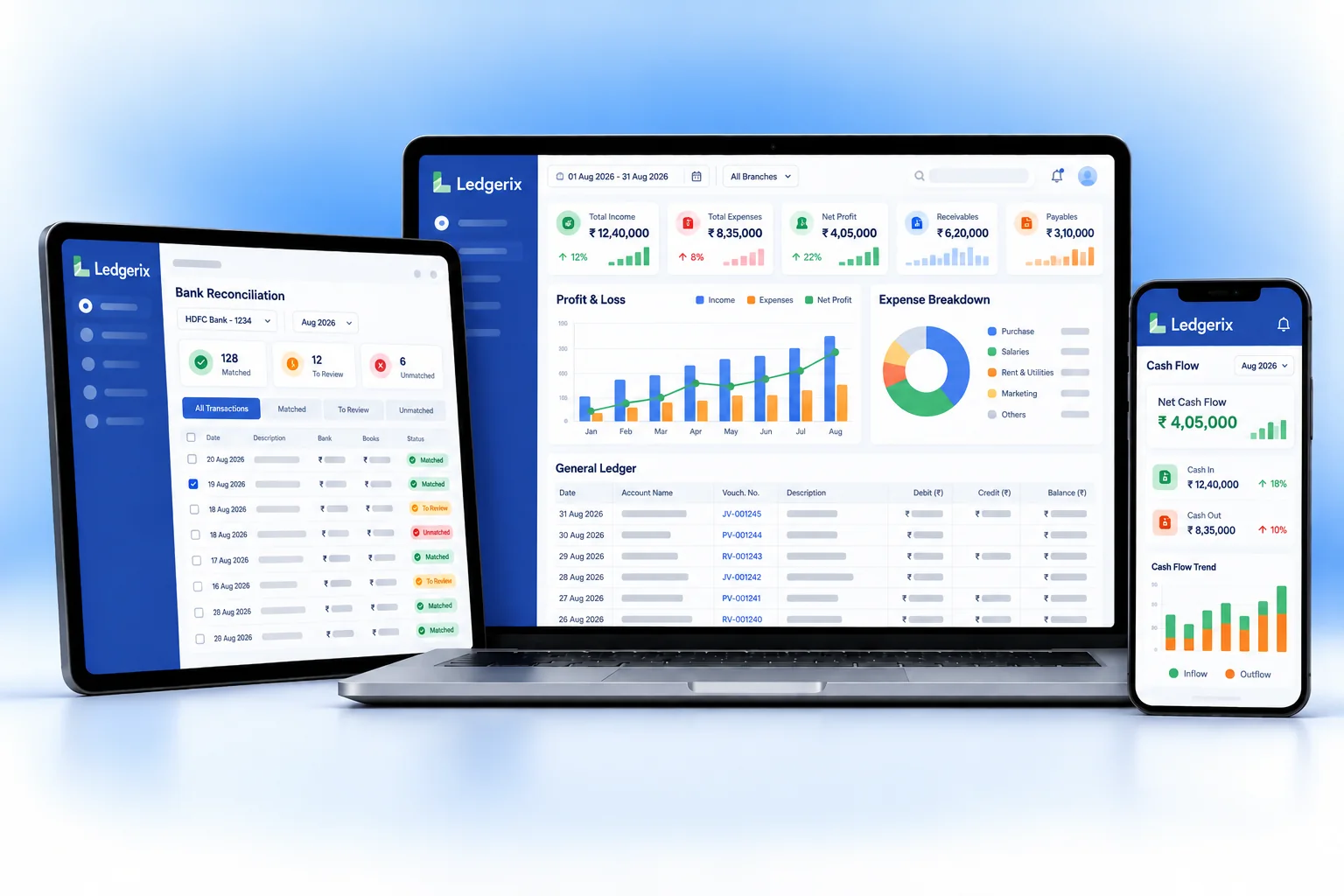
Ledgerix on every screen you use.
Desktop at the counter, tablet on the floor, phone in your pocket. The same data, updated as it happens.
How work moves through Ledgerix.
Each step hands over to the next automatically, so nothing is typed twice.
 1
1Record the day
Sales, purchases, receipts and payments are entered as vouchers, or flow in from your Hexa billing app.
 2
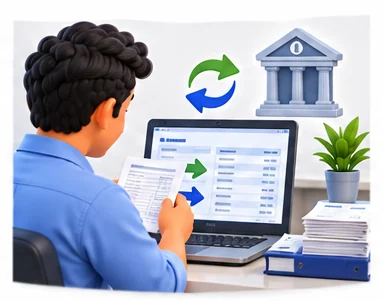
2Reconcile the bank
Import the bank statement and match entries. Ledgerix flags anything unmatched for a quick review.
 3
3Prepare GST
At month end, review GSTR-1 and GSTR-3B data, check input tax credit and share the summary with your CA.
 4
4Review the numbers
Pull profit and loss, balance sheet and outstanding reports to see where the business stands today.
The right screens for every person.
Each person signs in with their own login and sees only what their job needs. Every change is recorded in the audit trail.

Owner
Sees profit and loss, balance sheet, cash flow, receivables and payables, sets budgets, and controls who can edit vouchers or lock periods.

Accountant
Records vouchers, reconciles bank statements, settles bills and records TDS and TCS. Cannot edit entries in locked periods.

Data entry staff
Enters sales, purchase, receipt and payment vouchers. Cannot see financial reports or change the chart of accounts.

Your CA
Reviews GST return data, TDS summaries and financial reports, organises the chart of accounts and handles year-end closing.
Built for the way business operations works.
We set Ledgerix up with your items, prices, taxes and formats, move your existing data across and train your team before you go live.
Works with
- Bank statement import (Excel/CSV)
- Moharbill and other Hexa billing apps
- Tally export (Excel/XML)
- IRP for e-invoices through your login
- GST return data in portal-ready format
- Excel import and export
- Email and WhatsApp payment reminders
 All standard voucher types
 Bank statement import and matching
 GSTR-1 and GSTR-3B data from your books
 HSN and SAC summaries
 Bill-wise receivables and payables
 TDS and TCS records
 P&L and balance sheet on demand
 Edit log on every voucher
Rules followed. Data protected.
Ledgerix keeps the records your regulators and auditors ask for, and every release is penetration-tested by our own security team before it reaches you.
Indian regulations
4GST returns
Prepares the data for GSTR-1 and GSTR-3B from your vouchers, with HSN and SAC summaries, so filing is a review rather than a rebuild.
Input tax credit check
Compare the credit in your books with the supplier data in GSTR-2B before you claim it in GSTR-3B.
E-invoice details
If your aggregate turnover is above ₹5 crore, sales invoices need an IRN and signed QR code from the IRP. Ledgerix records these against the voucher.
TDS records
Keeps TDS deducted on payments by section and party, to support your quarterly TDS returns and certificates.
Built-in controls
2Audit trail (edit log)
Companies using accounting software must keep an edit log of every change. Ledgerix logs who changed what and when, and it cannot be switched off.
Access and security
Role-based access, period locking and penetration-tested releases. Your data is encrypted and backed up regularly.
Questions about Ledgerix, answered.
Straight answers to what owners usually ask before switching to Ledgerix.

Still have a question?
Talk to someone who knows Ledgerix, or see it working with your own data.
hello@hexasecurelabs.com01Can my CA work in the same books?
Yes. Give your CA their own login with the access you choose. Every change they make is recorded in the edit log.
02Does Ledgerix file GST returns for me?
It prepares GSTR-1 and GSTR-3B data from your books in a portal-ready format. Filing is done on the GST portal by you or your CA.
03Can I move from Tally?
Yes. We import your ledgers, opening balances and outstanding bills from Tally exports or spreadsheets during setup.
04Which banks are supported for reconciliation?
You can import statements from any bank that gives an Excel or CSV download. We map the format once during setup.
05Can I lock a period after filing?
Yes. Lock a month or year once returns are filed, so nobody changes entries in a closed period without the right access.
More for Business Operations



See Ledgerix with your own data.
Book a free, no-obligation demo. Tell us about your business and we'll show you exactly how the right application fits.